Changelog

Stay up to date with the latest additions and improvements we have made to the SAP learning platform et.training.

20.0.0

Learning Features

Flashcards

Use flashcards to review the most important content in a targeted and efficient way. The cards are generated directly from the learning material or your Espressi conversation and can be regenerated at any time—based on your pace, preferred language, and difficulty level.

Multiple-Choice Quiz

The AI-generated multiple-choice quiz tests your knowledge with 10 questions based directly on the learning content. Each question includes four answer choices, followed by an explanation of the correct answer.

Tutor

The AI tutor helps you go beyond memorization and truly understand the content. Through active questions, immediate feedback, and personalized explanations, you’ll learn in a more focused, confident, and practical way.

19.0.0

Dashboard

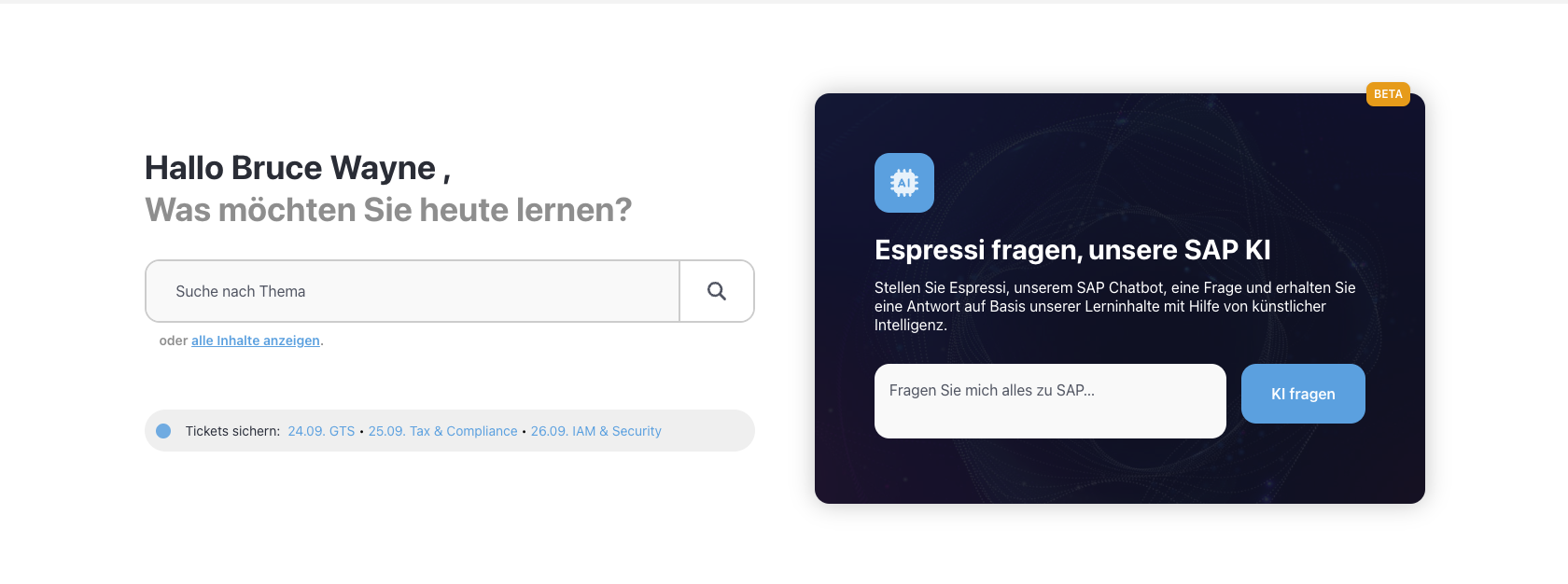
We have launched our new, personalized user dashboard. You can now find all your favorites, certificates, and learning goals here, and interact directly with our SAP co-pilot, Espressi.

18.6.0

Training plans

Effective immediately, corporate customers can set individual learning plans for their users, who can then view and work on these plan under Training plans.

17.2.0

Open Badge for Certificates

From now on, every completed certificate comes with an Open Badge. This allows you to easily verify your achievements and showcase them on platforms such as LinkedIn, your CV, or HR systems that support the Open Badges standard.

17.0.0

Online training

You can now view your booked online training courses in your profile under Online Training and download your certificate of participation once you have completed the training.

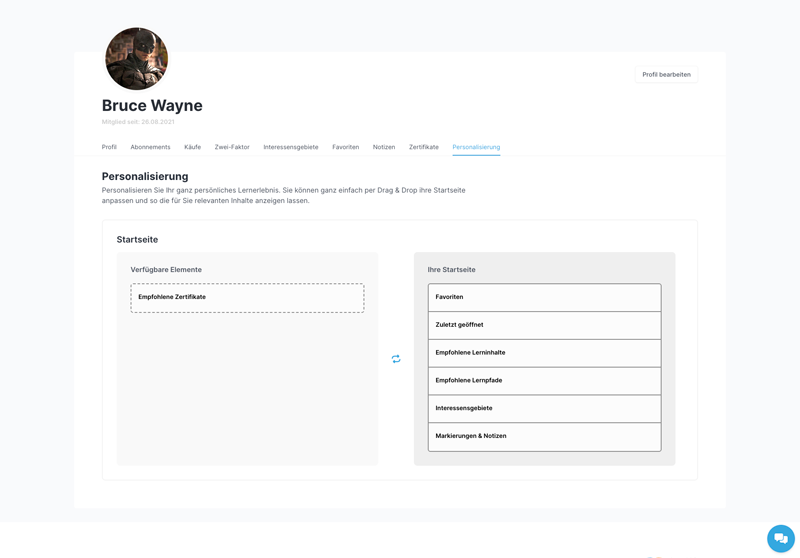
You can also view your booked training sessions on your personalized dashboard. You can easily set up your dashboard under "Profile -> Personalization".

16.0.0

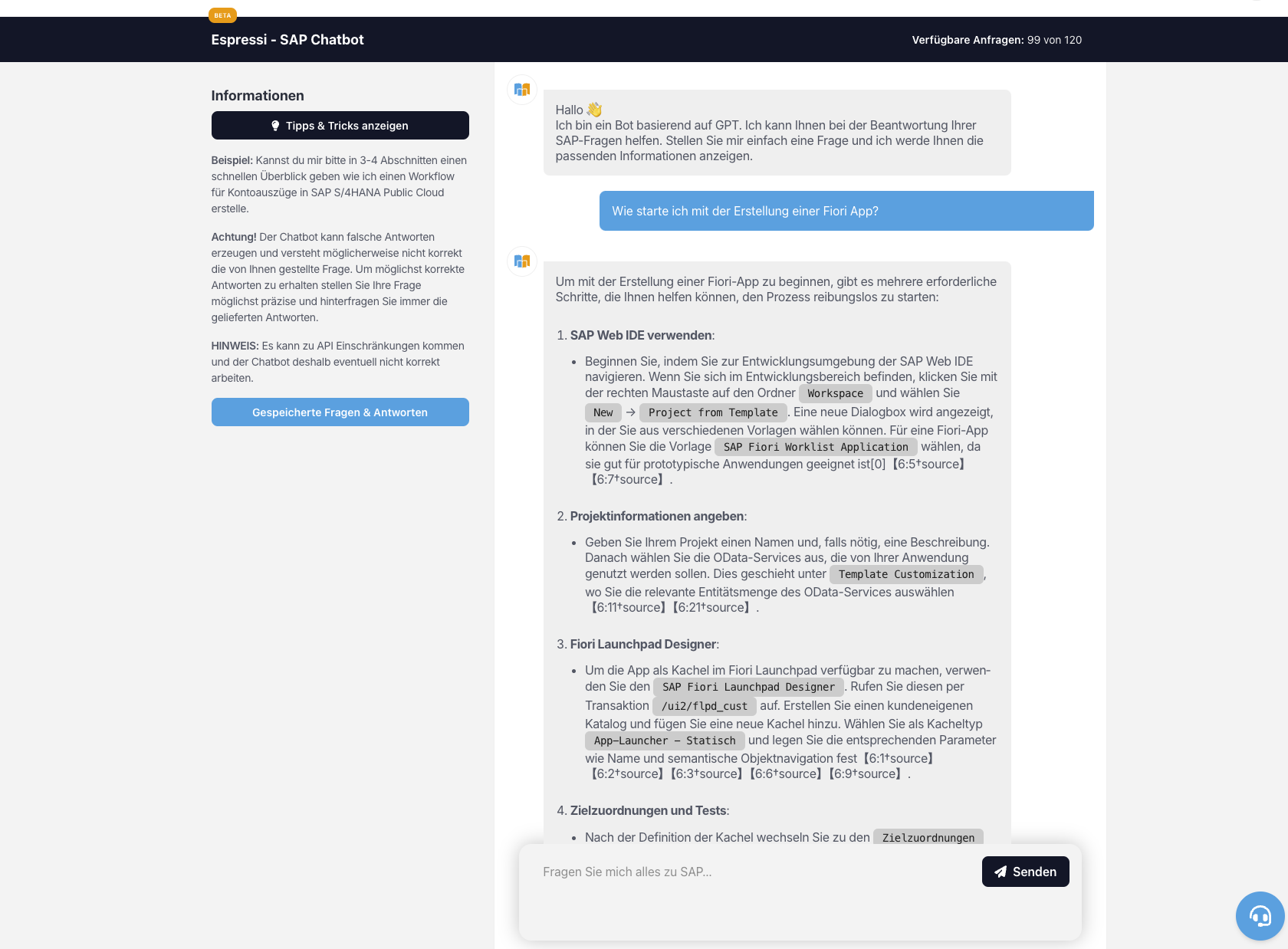
Further development of Espressi, our SAP chatbot

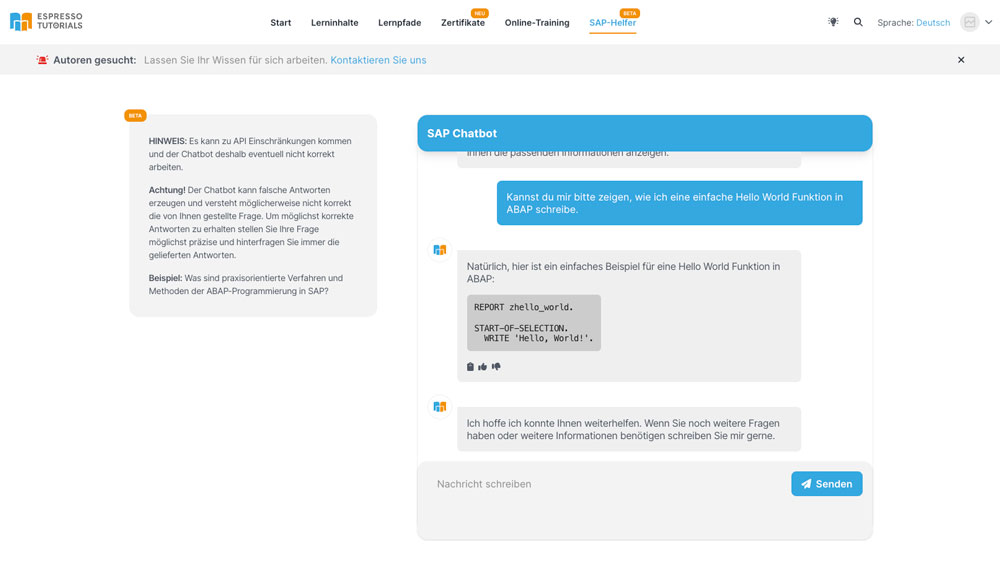
We are constantly working on the further development of our SAP chatbot “Espressi”, from now on our copilot can support you even better with ABAP programming, questions about transaction codes and reporting.

You can currently request and consult our SAP Chatbot Espressi 10 times a month free of charge. If you need more requests, you can now flexibly book additional requests directly in the learning platform.

14.0.0

Further development of Espressi, our SAP chatbot

We are constantly working on the further development of our SAP chatbot "Espressi", from now on you can contact our chatbot directly via the dashboard or also decide in the search whether you want to search our product catalog classically or ask our chatbot a question. At the end of a conversation with our chatbot, you can rate the quality and your chat history will be saved. In your profile under "Question & Answer" you will now find a list of all your previous chat histories with our SAP chatbot "Espressi".

SAP Chatbot Espressi SAP Chatbot Espressi SAP Chatbot Espressi

You can currently request and consult our SAP Chatbot Espressi 10 times a month free of charge. If you require further requests, please contact our support team at info@espresso-tutorials.com. In the near future it will be possible to activate further request quotas directly on et.training.

13.0.1

AI-based information in glossary

From now on you will also receive AI-based information in the glossary popup in the reading mode of native readers.

13.0.0

AI in learning content and more

You can now “chat” with the learning content in selected books using AI. You can enter your question and our AI will analyze the learning content for you and return a suitable answer.

Our AI-based question & answer function makes learning and finding the information you need even more effective and easier.

This function is currently in the beta test. We are working hard to expand the function and offer it in other learning content.

It is now possible to display the learning content in the overview in a compact list view, so you get all the important information at a glance.

12.0.0

Customer-specific content

Corporate customers can now create and publish their own content.

11.0.0

SAP helpers and much more

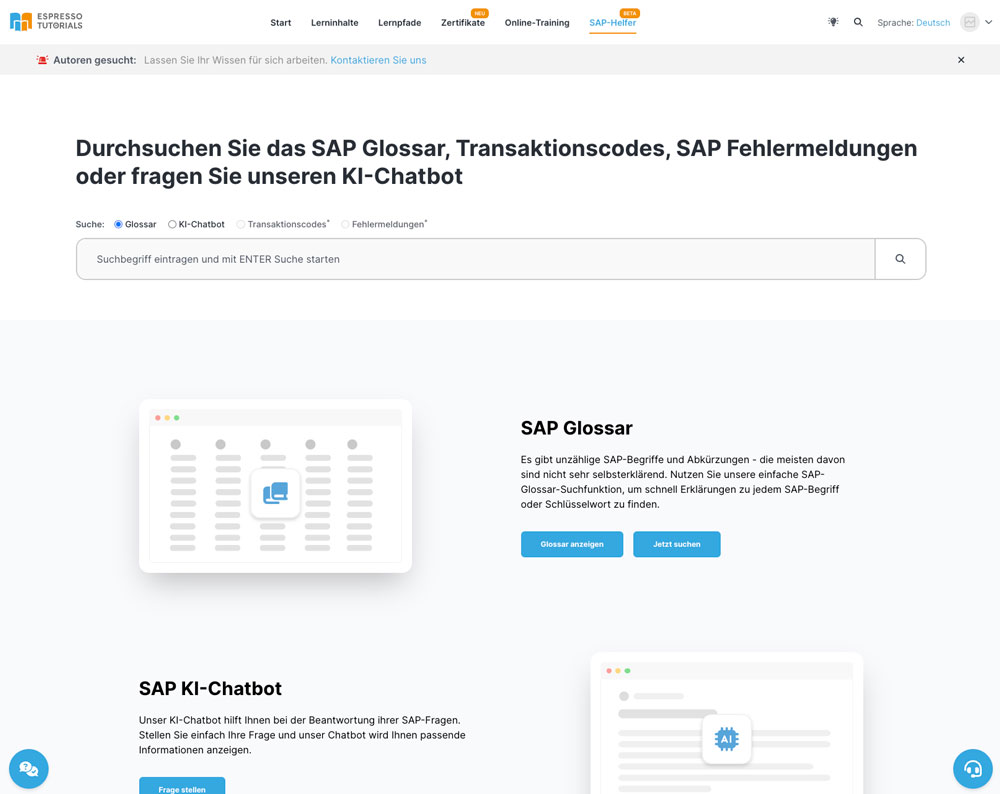
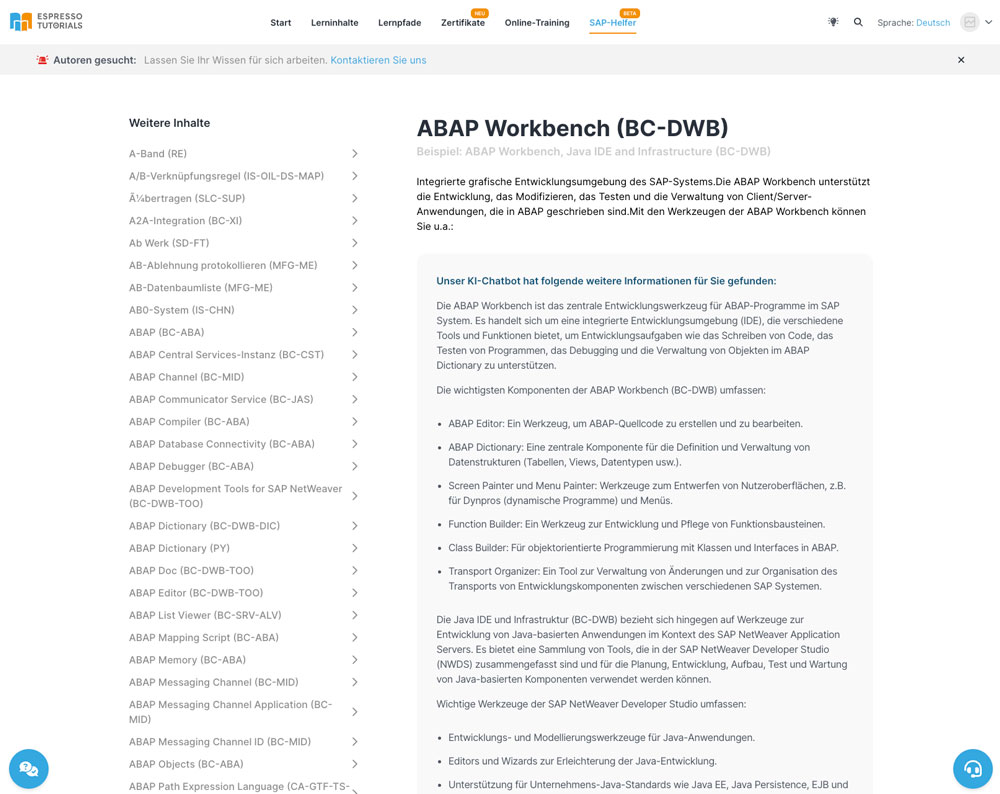
Today we launched the first beta version of our SAP helper. Here you can find our new AI-based SAP chatbot and our AI-enhanced SAP glossary. SAP transaction codes and error messages will follow soon in further updates.

SAP-Helfer SAP-Helfer SAP-Helfer SAP-Helfer

In addition to our SAP helper, we have optimized and adapted many small details.

1. improved navigation for direct selection of subject areas

2. in PDF mode, you can now enter and call up a page number directly; the page number of the currently open page has also been added to the citation function.

3. you will now find your invoice in your profile and can download it as a PDF.

4. for all 1-month digital subscriptions booked from 02.02.2024, you have the option of switching to the 12-month digital subscription with just one click.

10.22.0

Video subtitles & searchable video content

You can now use subtitles in selected video content by clicking on the "cc" symbol in the video player, if available, to activate the subtitles.

Selected videos are now also fully searchable. This happens fully automatically when you use our search function as usual, suitable parts of the video are then displayed and you can call up the section found directly.

We are currently working on making the new video functions available for as many videos as possible.

10.18.0

Minor adjustments and optimizations

We have been working diligently on the performance and stability of the learning platform to provide you with an even better learning experience.

10.16.0

ChatBot

We have updated our ChatBot to provide you with an even better experience.

Attention. The chatbot may generate incorrect answers and may not correctly understand the question you asked. To get the most correct answers, ask your question as precisely as possible and always question the answers provided.

10.7.0

Purchased / Completed Certificates

From now on you can view your purchased / completed certificates on your dashboard.

Most viewed learning content

From now on, you can display the currently most popular learning content on your dashboard, these are also displayed in the detailed view of a learning content.

10.5.0

Changes

  • In the search results, you can now view all the jobs found in the book.

10.0.0

Changes

  • Update dependencies

9.28.0

Producttypes

We added the support of two new producttypes.

9.27.0

Pagination

For a better user experience we switched from infinite scrolling to load more products to classic pagination.

9.26.0

Question & Answer

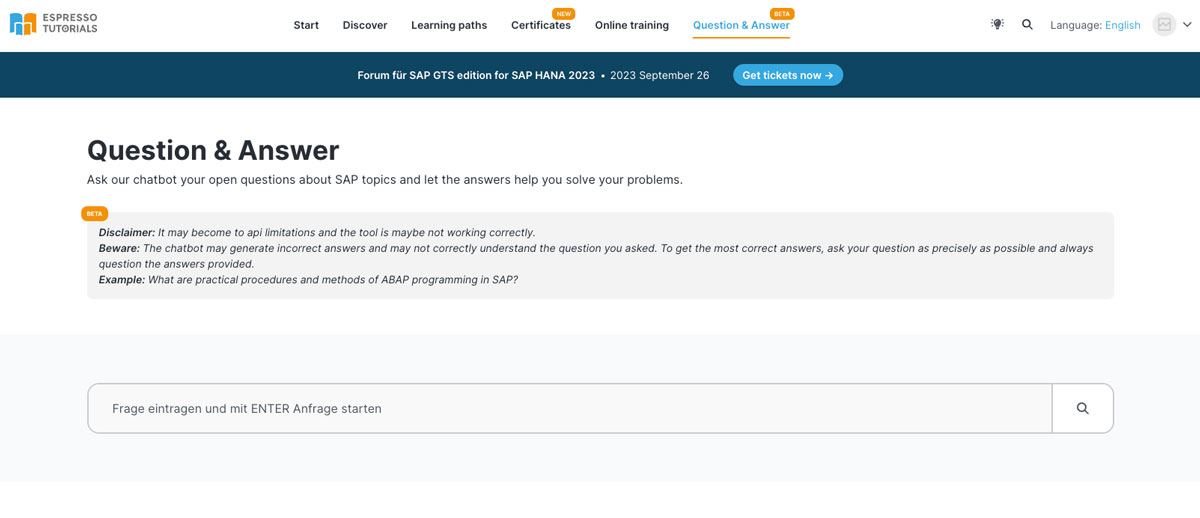
From now on you can ask your questions about SAP to our chatbot and get support in solving your problems. Simply click on "Questions & Answers" in the main menu and type in your question.

Chatbor

Note: Our chatbot is still in beta stage, there may be outages and incorrect answers. Therefore, please check all answers.

9.25.0

Minor changes

  • Update frontpage images

9.24.0

Minor changes

  • Buy certificates without subscription
  • New frontpage layout

9.22.1

Minor changes

  • Update reading modes

9.22.0

Version update notification

From now on you will be notified about an update of our site and with one click you can load the latest features.

9.21.0

Minor changes

  • Update pricing

9.20.4

Minor changes

  • Update study reminder

9.20.3

Minor changes

  • Update study reminder url

9.20.2

Minor changes

  • Update study reminder

9.20.1

Minor changes

  • Update study reminder

9.20.0

Study Reminder

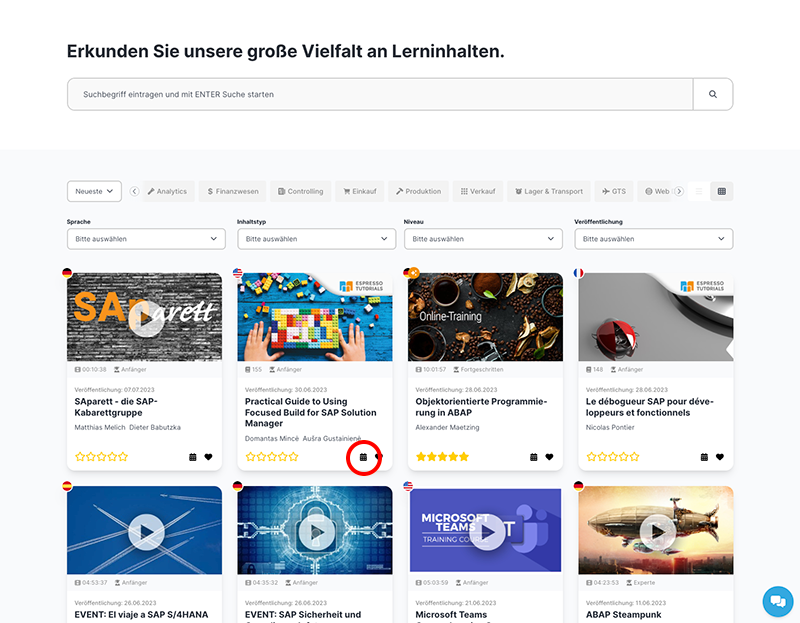
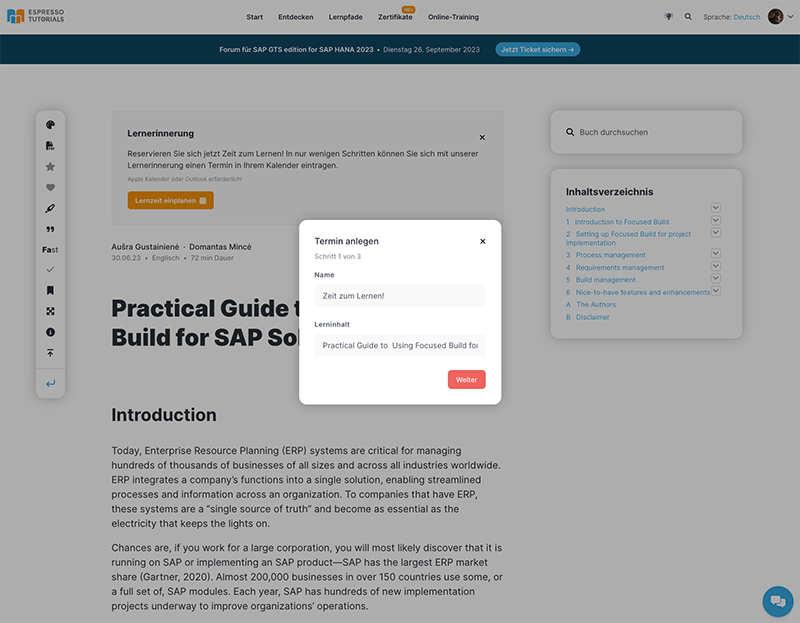
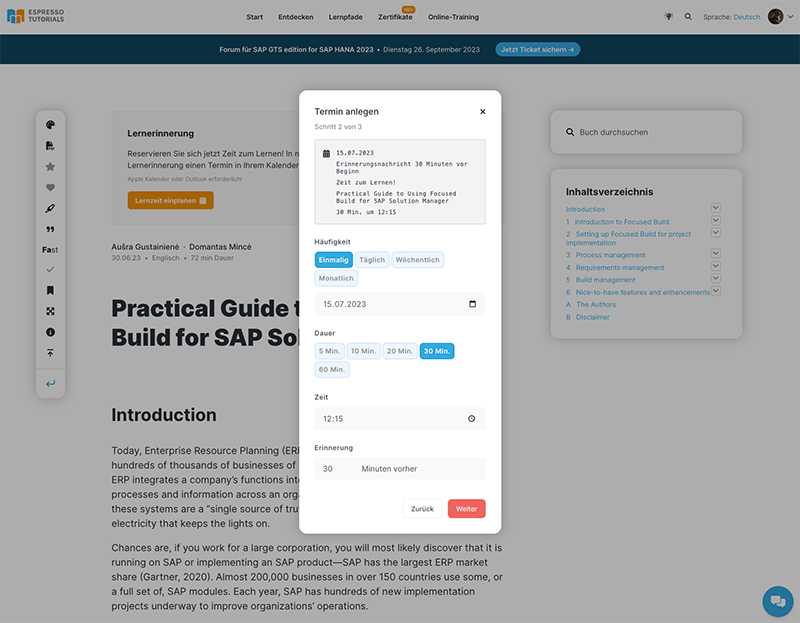
Now you can easily create reminders and save them to your calendar in just a few steps.

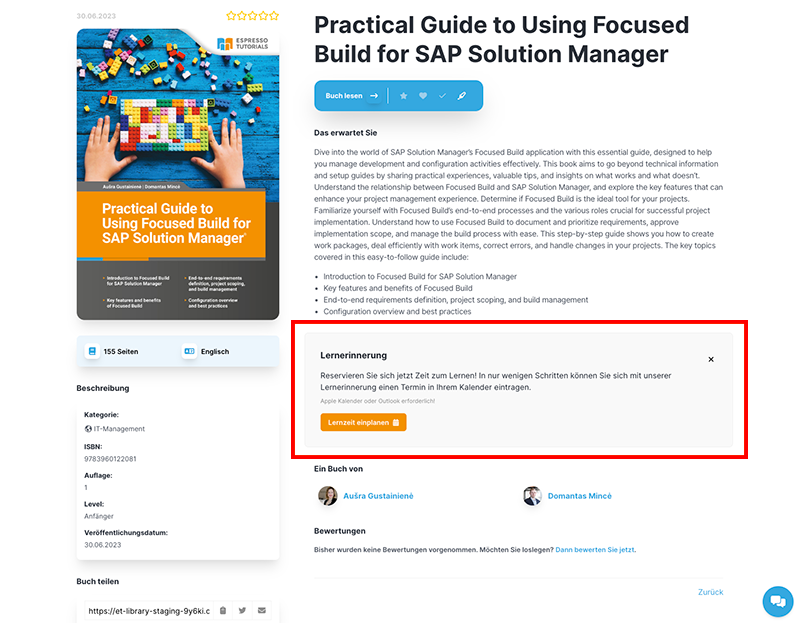
In the Dashboard, under Discover and also in Search, you will now see a "Calendar" icon on the Learning Content tile. Likewise, you will also find the note for creating the learner reminder on the product pages, you can also simply close the note and it will not be displayed to you again.

Reminder Reminder

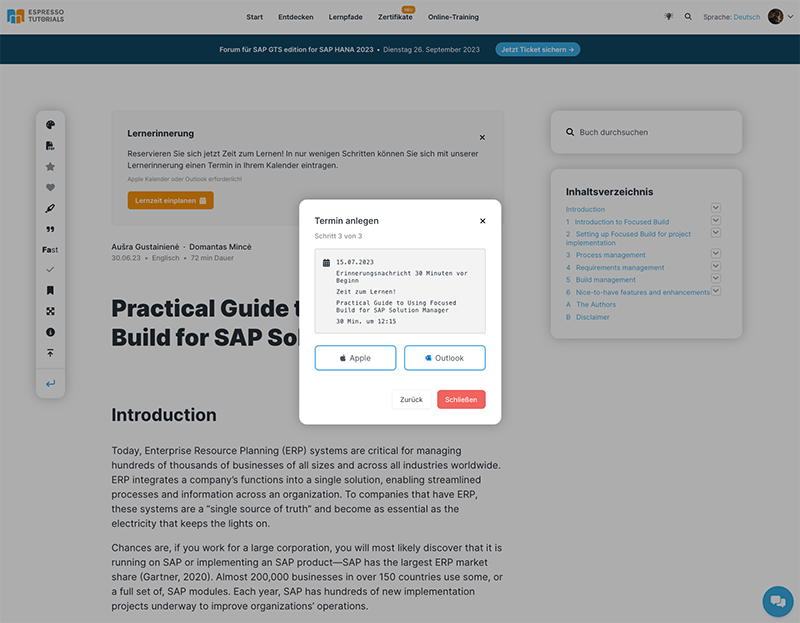
The modal for creating the learning reminder opens, here you simply select the settings that suit you, at the end you download the calendar entry as an ICS file for the Apple calendar or Outlook.

Reminder Reminder Reminder

9.19.0

Improvements 403 & 404 pages

In case you visit a non-existent product or an exclusive content, you will now see our new hint pages with even more information on how to access the content or find the right page.

9.18.0

Minor changes

We have made several minor adjustments and fixed a few bugs to make your learning experience even better.

9.17.0

Adjustment cancellation process

We have optimized our cancellation process to learn a little more about the reasons for cancellation, so we can further improve our service.

9.16.5

Minor changes

  • Update sso

9.16.4

Minor changes

  • Update push notifications

9.16.3

Minor changes

  • Update push notifications

9.16.2

Minor changes

  • Update annotations

9.16.1

Minor changes

  • Meta Data Update

9.16.0

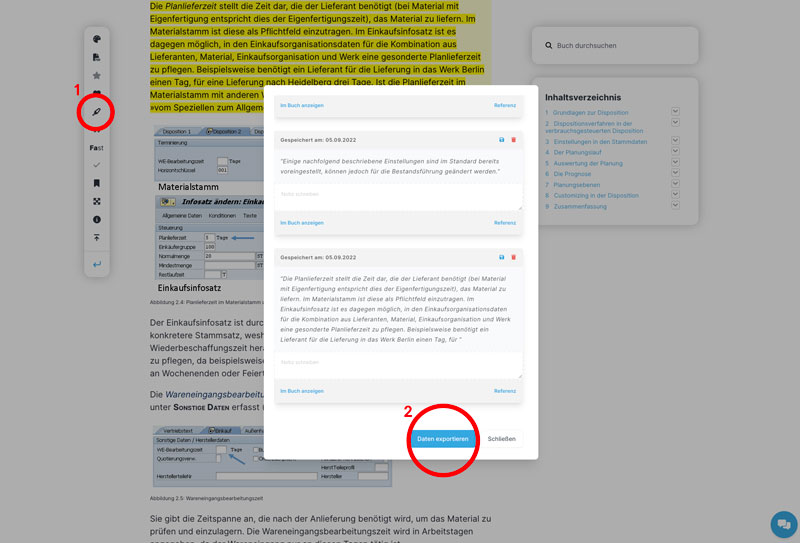
Export Markers & Annotations

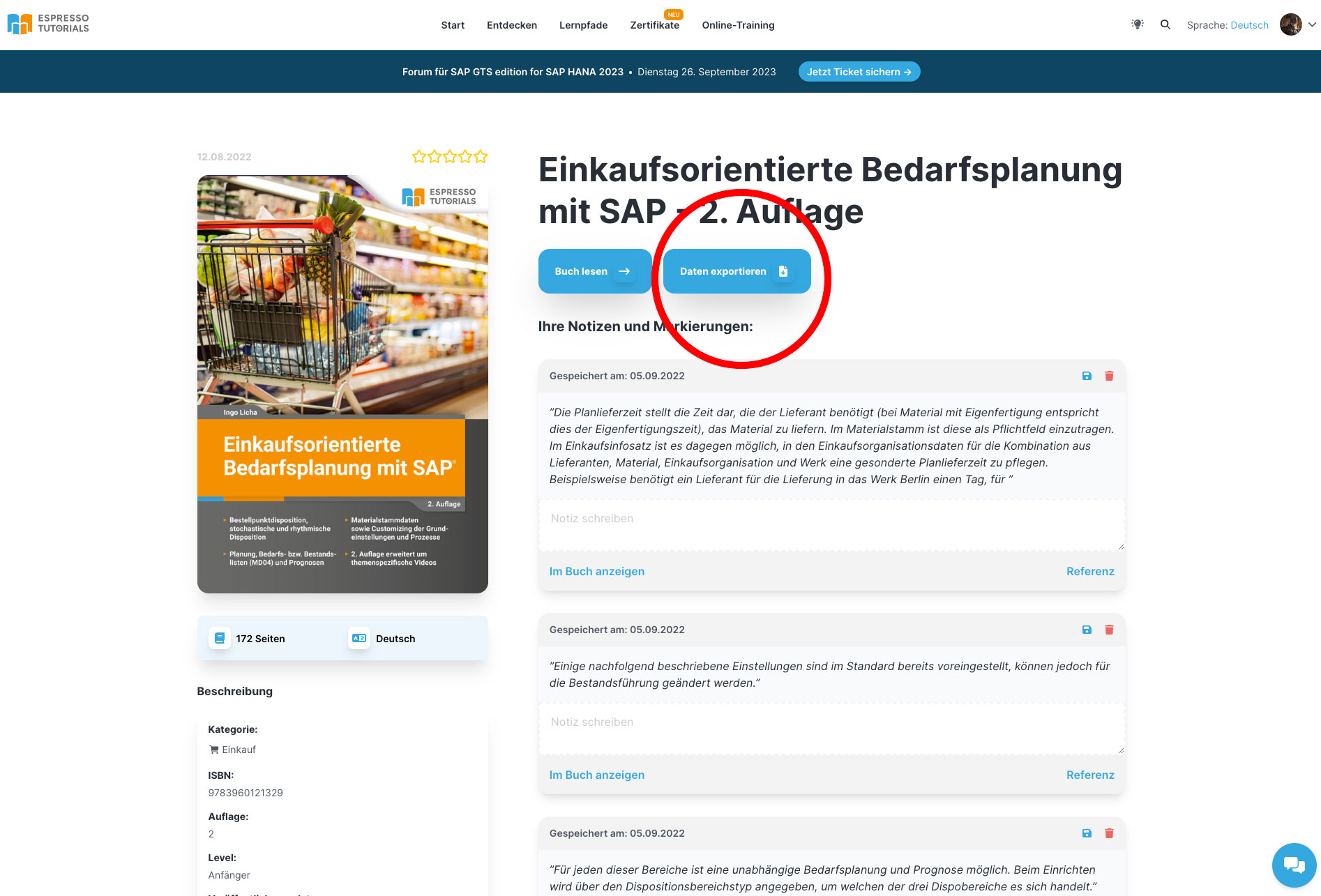
From now on you can easily export your markers and annotations as an Excel file.

You have 2 options for this:

On the Notes overview page in your user profile, click "Export data". All markers and annotations you have written for this product will be exported.

Export

In the product click on "Show markers" (red marker 1) and then in the modal that opens click on "Export data" (red marker 2).

Export

9.15.2

Minor changes

  • Fix customizing

9.15.1

Minor changes

  • Update profitwell

9.15.0

Customizer

From now on you can configure your own personal dashboard.

Click "Personalize" in the dashboard or select the page under their profile. Now you can simply drag and drop the sections that are important to them and enable and disable them.

Customizer

In the near future, in addition to personalizing the dashboard, they will be able to save and centrally customize other settings such as the personalization of the eReader.

9.14.2

Minor changes

  • Fix partner links

9.14.1

Minor changes

  • Fix partner login

9.14.0

Minor changes

  • Update Translations

9.13.1

Minor changes

  • Fix nps view

9.13.0

Minor changes

  • Add commercial banner for Espresso Tutorials Conferences

9.12.0

Minor changes

  • Update back button for corporate customers

9.11.0

Minor changes

  • Update SSO

9.10.0

Update "Discover" layout

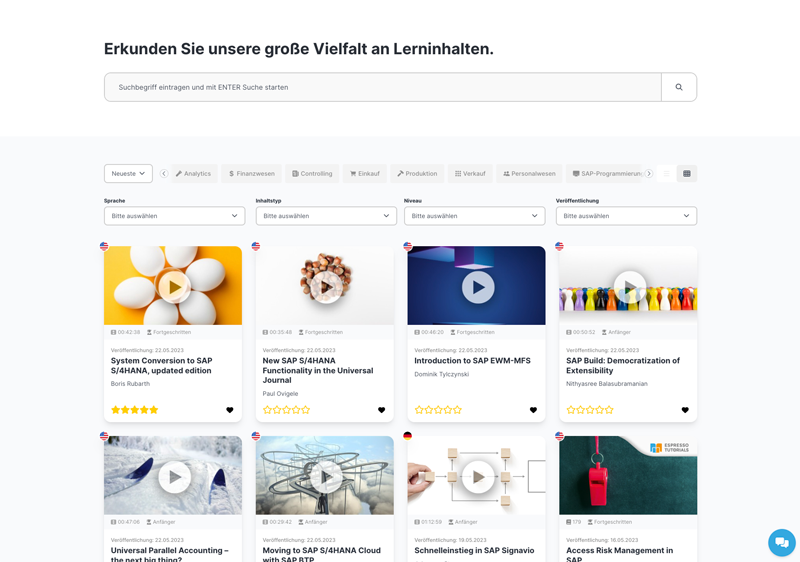
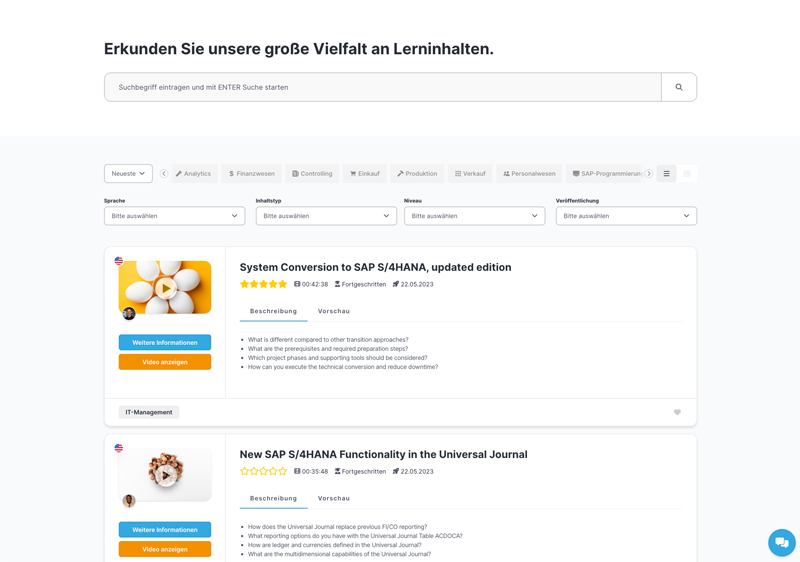
From now on you can switch between tile and list view on the "Discover" page.

In the tile view, you can see more products at a glance and in the list view, you can get the description of the product and any preview videos at a glance.

Entdecken Entdecken

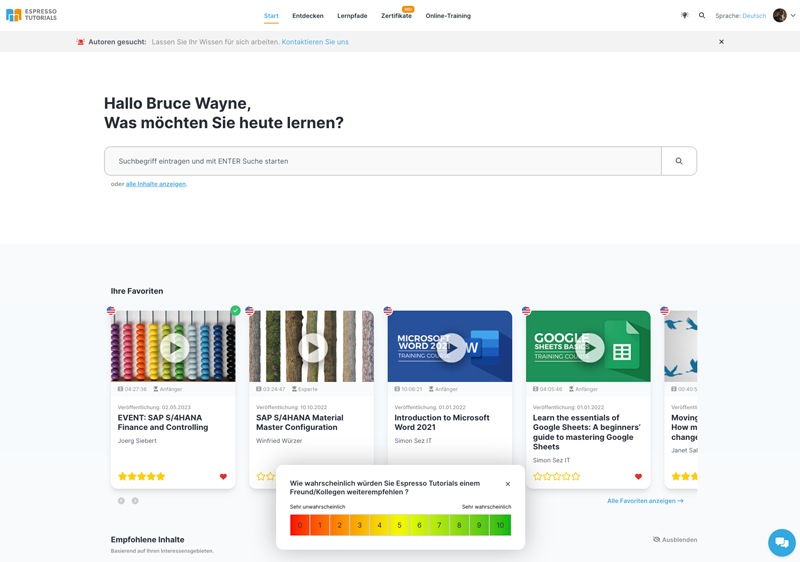
Net Promoter Score

We have made the Net Promoter Score visually even simpler, with a color gradient from red to yellow to green now also visually highlighting the value of the individual score points.

Entdecken

Further adjustments

  • Through updates to our source code, we were able to not only remove ~500 lines of code but also increase performance for the end user.

9.9.0

Changelog

From now on we inform you about all new features and updates of the SAP learning platform et.training in our changelog

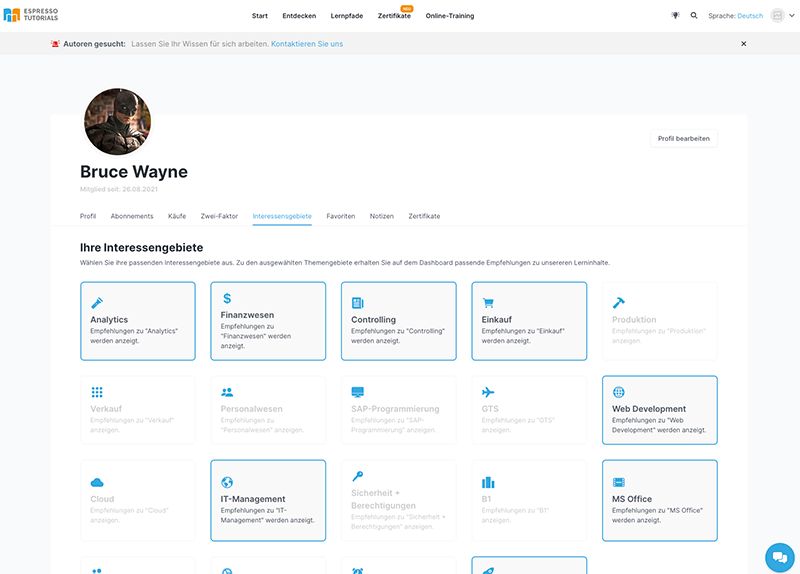
Areas of interest

We have given our areas of interest tiles a new look, for a better setting of your areas of interest you will now find a suitable settings page in the profile.

Areas of interest

Smaller adjustments

  • Videos without playlist are now started directly in cinema mode
  • Hide buy button for already purchased certificates
  • Optimization of the off-boarding screen, if you ever want to leave us you can now tell us the reasons even easier

Fixed problems

  • Background color profile picture upload button
  • Hide buy button for already purchased certificates

9.8.0

Minor changes

  • Update learning paths sections

9.7.0

Minor changes

  • Update reading mode select modal

9.6.0

Minor changes

  • Display language flag to product cards

9.5.0

Minor changes

  • Submit identifier via sso auth route

9.4.0

Minor changes

  • Update login message

9.3.0

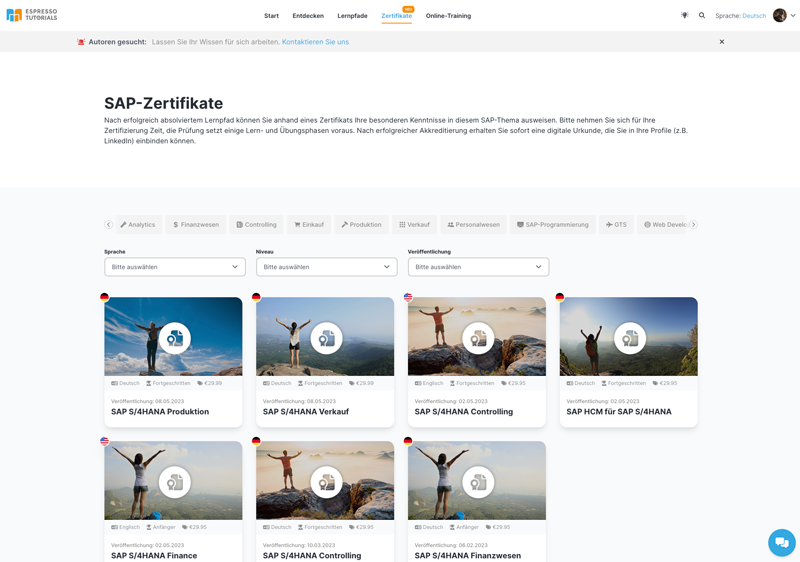
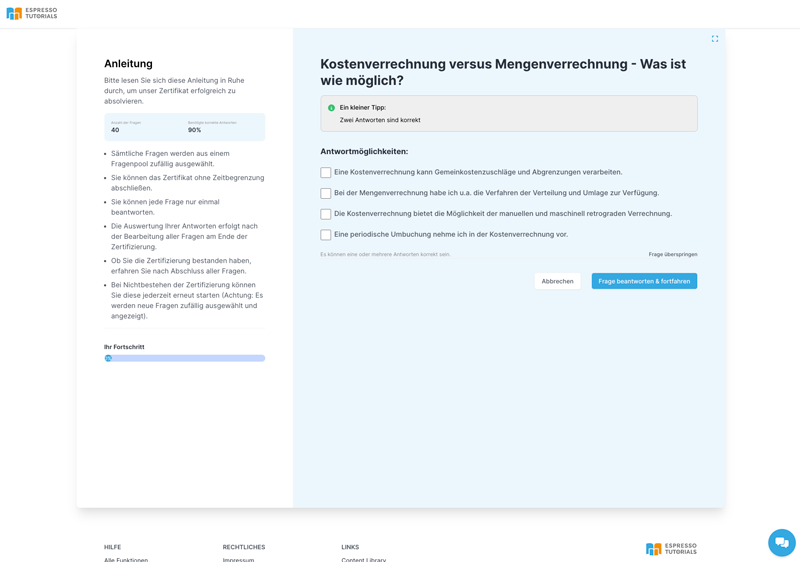
Certificates and QA tests

Today we released the big update which brings you certificates and QA test.

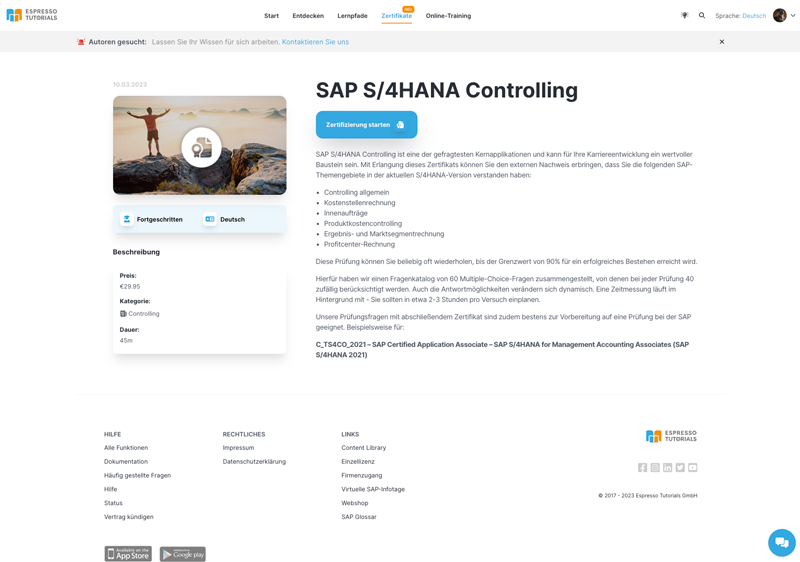
You can find the certificates under the menu item "Certificates". Certificates are available from 29,95€, after successfully passing the QA test you can download your certificate in German and English in PDF format.

You can also share your certificate via LinkedIn.

The certificate can be verified via QR code or direct link.

Zertifikate Zertifikate Zertifikate

Do you have any questions or suggestions? Then please feel free to send us an e-mail to info@espresso-tutorials.com.

Support-Team

  • For more help, visit our documentation or click on Chat.